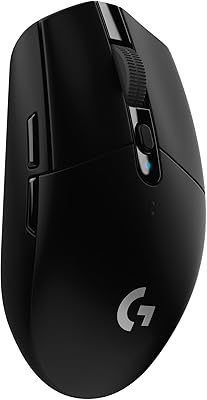
Logitech G203 LIGHTSYNC Wired Gaming Mouse - Black
Wired 85g Logitech G gaming mouse with an 8,000 DPI sensor, six programmable buttons, on-board memory and LIGHTSYNC RGB. A budget pick that still suits FPS games.
Features
The Logitech G203 LIGHTSYNC is Logitech G's entry-level wired gaming mouse, and at £19.99 on Amazon UK (RRP £30.99) it is one of the cheapest ways into a proper gaming sensor, mechanical switches and software you can actually configure. It holds a 4.6 out of 5 rating from more than 13,000 Amazon reviews, which is about as settled a verdict as a budget mouse gets.
Who it is for
- First gaming mouse: a big step up from an office mouse for shooters and MOBAs, without spending £50 or more.
- Small to medium hands: the classic, symmetrical shape suits palm and claw grips. Large-handed palm grippers may find it short.
- A spare or a LAN-bag mouse: wired, so there is no battery to charge or receiver to lose, and settings live on the mouse itself.
Key specifications
| Connection | Wired USB, 2.1 m cable (not braided) |
|---|---|
| Sensor | Logitech gaming-grade optical, 200 to 8,000 DPI |
| DPI presets | Up to 5, cycled with the button behind the wheel |
| Report rate | 1,000 Hz (1 ms) |
| Buttons | 6, all programmable in Logitech G HUB |
| Main switches | Mechanical, tensioned with metal springs |
| Lighting | LIGHTSYNC RGB, about 16.8 million colours, colour-wave and audio-visualiser effects |
| Memory | On-board, so a profile follows the mouse to another PC |
| Size | 116.6 x 62.15 x 38.2 mm |
| Weight | 85 g |
| Works with | Windows, macOS and ChromeOS |
What you get for £20
The things that matter in a cheap gaming mouse are a sensor that does not skip, clicks that stay crisp, and a shape you can hold for hours. The G203 covers all three. Its sensor tracks cleanly at the 400 to 1,600 DPI most players actually use, the spring-tensioned main buttons give a short, firm click, and the shape has barely changed across several generations because it works.
G HUB lets you remap all six buttons, set up to five DPI steps and save a profile to the mouse. Once saved, you can uninstall the software and the settings stay put, which is useful on a work laptop or a shared PC.
Limits worth knowing
- The cable is rubber, not braided, so it drags more than a paracord-style cable. A mouse bungee fixes most of that.
- At 85 g it is not an ultralight. Players who flick hard at low sensitivity may prefer something nearer 60 g.
- Only two side buttons. MMO players who want a thumb grid should look at the G502 instead.
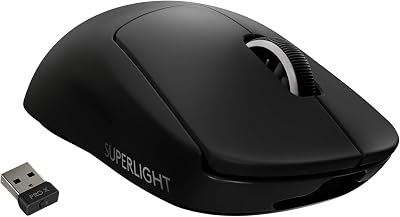
Logitech G203 vs G305 vs PRO X Superlight
| G203 LIGHTSYNC | G305 LIGHTSPEED | PRO X Superlight | |
|---|---|---|---|
| Connection | Wired | Wireless (1 x AA) | Wireless (rechargeable) |
| Sensor | 8,000 DPI | HERO 12K | HERO 25K |
| Weight | 85 g | 99 g with battery | 63 g |
| RGB | Yes | No | No |
| Price checked | £19.99 | £34.98 | £119.00 |
The G305 is the one to buy if you want to lose the cable for about £15 more. The PRO X Superlight is the competitive-esports choice and costs six times as much. For a wired desk setup, the G203 gives you most of what matters for a fraction of either.
Finish the setup
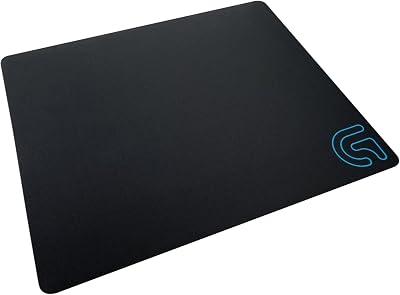
It is often bought alongside the Logitech G213 Prodigy keyboard, whose LIGHTSYNC lighting syncs with the mouse in G HUB, and a cloth pad such as the Logitech G240. Browse more in Electronics.
Price, rating and review count checked on Amazon UK on 7 November 2026. Prices change often, so check the current price before buying.